
muf:it:recipies
This is an old revision of the document!
Table of Contents
Recipies
Quick recipies for different tasks
Credentials and More
Recipies for handling credentials and authentication things
Import OTP QRCode into KeePassXC
- Copy the exported qr code to your client.
- Extract the otp string with zbarimg
zbarimg /path/to/qrcode.png
QR-Code:otpauth-migration://offline?data=XXXX
scanned 1 barcode symbols from 1 images in 0.12 seconds
- Convert the code with otpauth
otpauth -link "otpauth-migration://offline?data=XXXX"
otpauth://totp/USER@XXX?algorithm=SHA1&digits=6&issuer=ISSUER&period=30&secret=SECRET
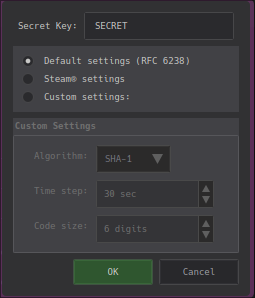
- Import the OTP in KeePassXC

OS Tricks
Operating system specific recipies
Win11 offline installation
- During setup when asked for connecting to a network press SHIFT+F10 to open a cmd
- In the opened cmd type
cd oobe
BypassNRO
- After reboot you can procceed the installation and skip the network configuration
muf/it/recipies.1739870397.txt.gz · Last modified: by mfulz
Except where otherwise noted, content on this wiki is licensed under the following license: Public Domain


